
Improve your typing skills!
KeyBlaze Free Typing Tutor is an interactive learning program that can help users learn or improve their typing skills. Designed by NCH Software, the program offers a visual keyboard that acts as a guide to highlight proper typing technique. It also includes various lessons, games, and audio classes to help you determine your skill level and improve it as you practice along. You can even set your personal goal and receive a completion certificate once you achieve it. The program isn’t limited to Windows and is also available for download on macOS devices.
Top Recommended Alternative

What is KeyBlaze?
Nowadays, most of us spend time typing away on our computers. Often, however, we only employ four to five fingers to type or just peck away at the keys. This results in slow typing as well as typos. To avoid unnecessary mistakes and improve your typing capabilities, you can download KeyBlaze Free Typing Tutor. As the name suggests, the program is an effective tutor that helps in improving typing skills.
Developed by NCH Software, KeyBlaze is an interactive program that can help you go from typing 40 words per minute (wpm) to 75 wpm with regular practice. It’s designed to assist users who wish to learn to touch type, improve speed, and employ all ten fingers while typing. It doesn’t matter what skill level you’re at, the program has more than enough features for both beginners and professionals.
The typing tutor is quite fun as it uses both prose and poetry to help you improve your typing capabilities. From basic lessons to advanced drills, the program helps in highlighting your unique problem keys, takes you through proper capitalization and punctuation techniques, and tutors you on the ideal way to press the neighboring as well as home keys. The best part, however, is that the software is completely free.
Provides an on-screen guide
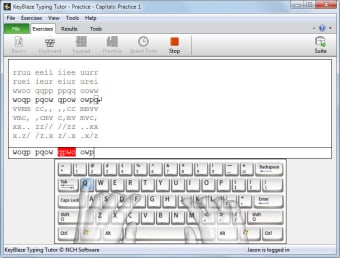
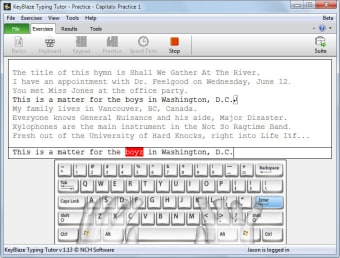
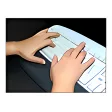
When you download KyeBlaze Typing Tutor, you’re encouraged to use all ten fingers to type. The software presents users with an on-screen keyboard so they can use it as a visual guide while they type. The virtual keyboard shows two transparent hands that highlight the correct placement of all ten fingers. Once you start typing, the program calculates the average number of words typed per minute and mistakes made to ascertain your skill level.
Offers practice lessons and games
Using KeyBaze Tutor to practice and improve your typing skills is quite fun. This is because the program offers various lessons and games that prevent users from getting bored or giving up. Before you begin, the program takes a skill test to determine your typing level. Post that, it offers a list of tasks and lessons, allowing you to decide your starting point.
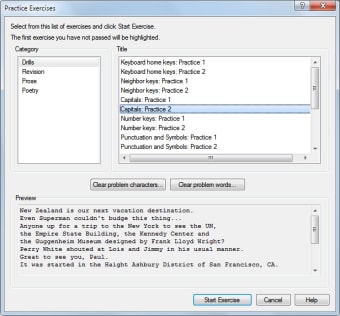
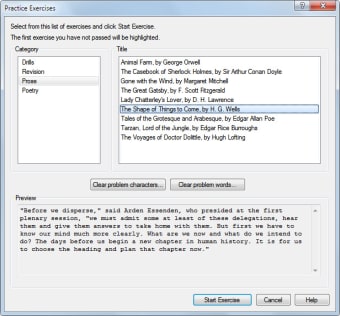
Lessons range from basic to advanced, so users can attain absolute accuracy when using all ten fingers to press small and capital letters, home keys, numbers, and neighboring keys. Exercises include typing poems, prose, paragraphs, as well as song lyrics. The more you practice, the better you get. And you can always take the skill test to see your progress.
Includes exercises to improve transcription
Apart from basic and advanced typing lessons, the KeyBlaze Free Typing tutorial also includes audio exercises. These exercises are great for anyone looking to improve their transcription skills. You can even import speed tests or personalized lessons to the platform and set your own wpm goal. Once you get good, the program also offers a printable certificate that shows you’ve completed the course.
Are there any alternatives?
KeyBlaze Typing Tutor offers a free, effective, and fun way to improve your typing capabilities. That said, some games included in the program aren’t free and need to be purchased. If you want to check out alternatives, you should explore Typing Trainer, Typing Master, and Klavaro Touch Typing Tutor.
Is typing 40 wpm good?
On average, most people type about 35 to 40 words per minute, which is about 200 characters. That said, the average speed isn’t always the benchmark for good speed. Most professionals can type about 60 - 70 words per minute. And if you want to go from 40 to 70 wpm, you can download a typing tutor like KyeBlaze and practice to improve your typing skills. The program is quite fun and is loaded with features to help you improve touch typing capabilities as well as transcription speed.